ARK95 for VS Code
Generate architecture diagrams from your codebase without leaving your editor. No API keys required — the AI runs on our infrastructure, not yours.
 Open Extension
Install from Marketplace
Search for "Ark95" in the VS Code Extensions panel and click Install.
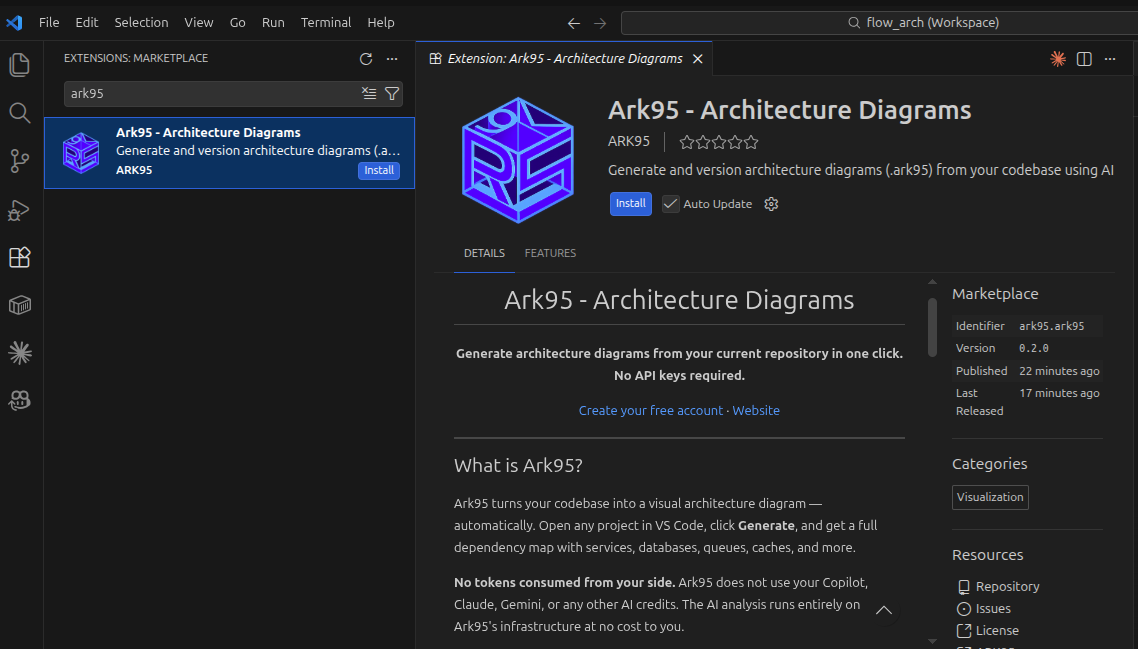
Sign in
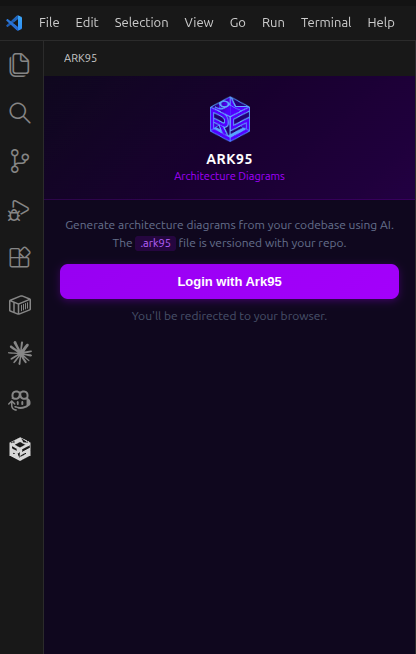
Click the Ark95 icon in the sidebar and sign in with your account. First time? Create a free account at ark95.io.
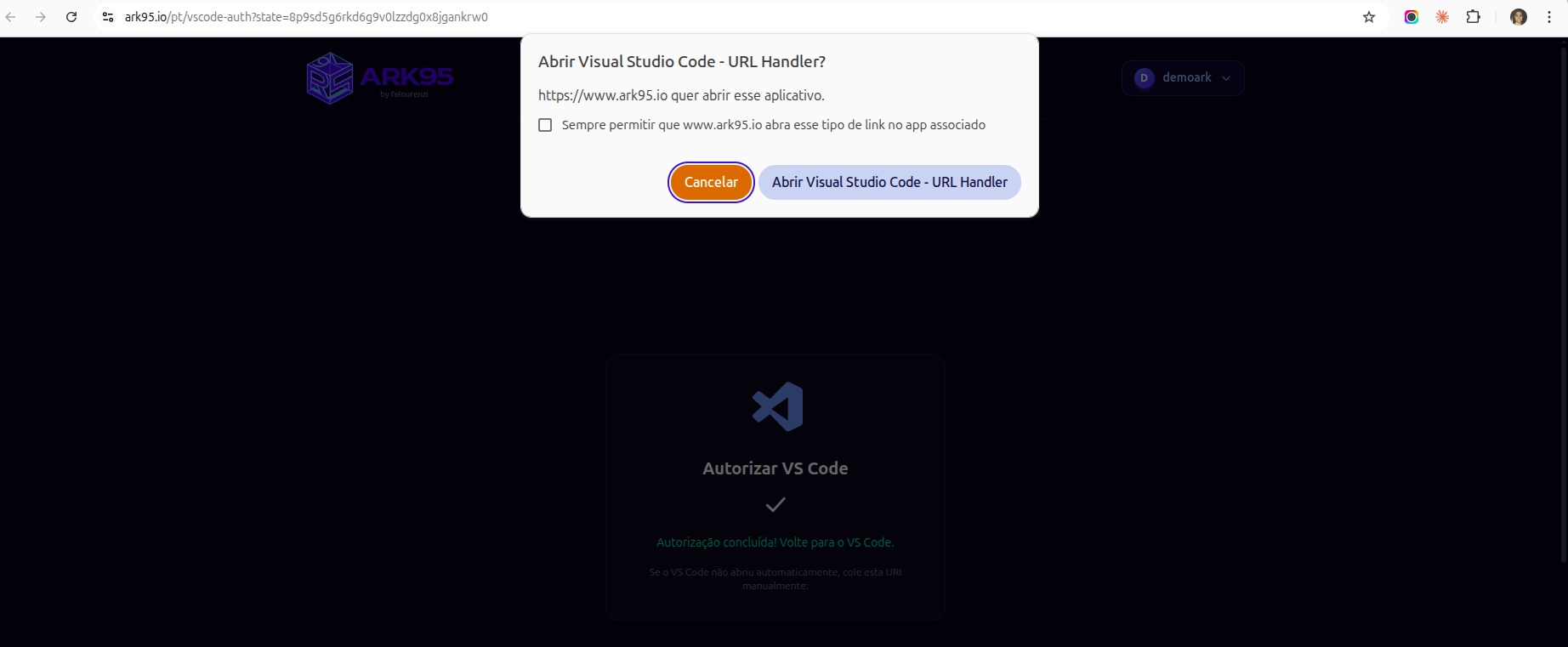
Authorize in browser
Your browser will open to authorize the extension. Click "Open Visual Studio Code" to complete the connection.
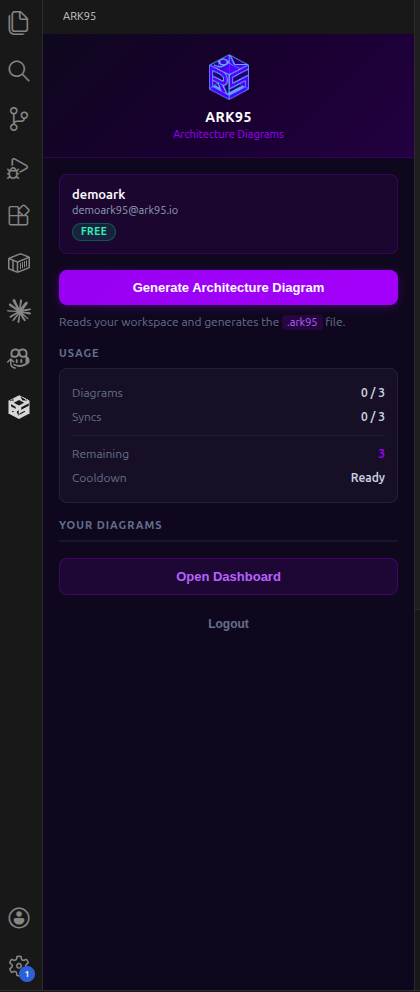
Ready to go
The extension is now connected. You can see your plan, usage limits and generate diagrams from the sidebar.
Open any project
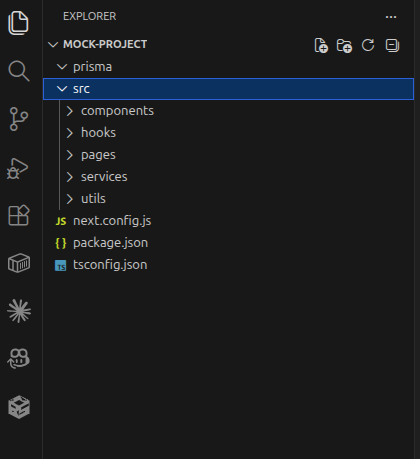
Open a project folder in VS Code. The extension reads your source files locally and prepares them for analysis.
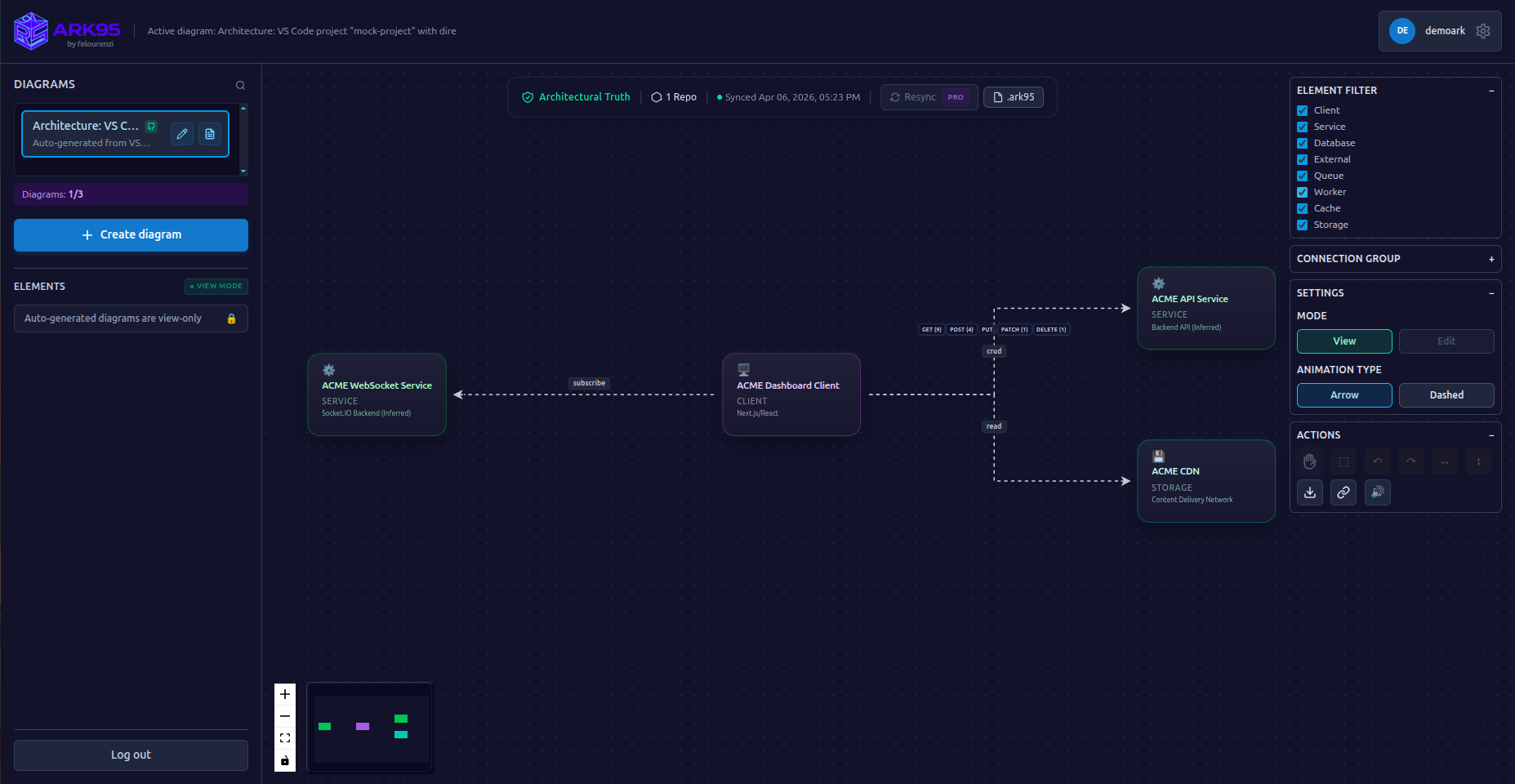
Your diagram is ready
The AI analyzes your code and generates a full architecture diagram with services, databases, queues and connections.
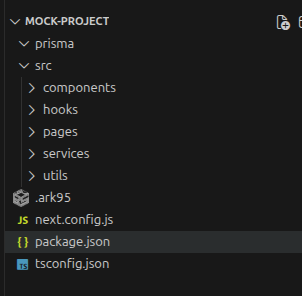
Version your architecture
An .ark95 file is generated at the root of your project. Commit it to Git and keep your architecture documentation always up to date alongside your code.
1 Sync per generation
Automated diagram generation (Repo-to-Diagram, Text-to-Diagram and VS Code Auto-Sync) runs on AI sync credits. Free accounts get 1 sync; the $5 / R$ 25 pack adds 10 more and unlocks Premium permanently.
Privacy first
Your source code is transmitted over HTTPS, analyzed in memory and immediately discarded. Only the generated diagram is saved. No code is ever stored on our servers.
What you can do with your diagram
Generate, share and export your architecture in different formats.
Share with your team
Each diagram generates a unique public link. Send it to anyone — no login required.
ProExport as PNG
Download a high-resolution image of your diagram for documentation or presentations.
ProExport as CSV
Export nodes and connections as CSV for spreadsheet analysis or integration with other tools.
ProExport as GIF
Generate an animated GIF of your diagram with data flows in motion.
ProExport as JSON
Export the full architecture as structured JSON with nodes, connections, circuits and documentation.
ProShare by email
Send the diagram directly by email to your team members.
ProReady to get started?
Install the extension, open your project and generate your first diagram in under 2 minutes.